Your first search
Import an invented two-message email conversation. By the end, a search for archive retention will point to the original thread. You can do this from a terminal without connecting a mailbox or an agent.
Before you start
Complete the installation through step
5. Use the same terminal as the installation guide, with its
memini shortcut, packaged resources path and admin token
file selected. On a new terminal, repeat the shell setup and point
MEMINI_TOKEN_FILE to your saved admin token. For the manual
ZIP, run from the release folder with its CLI shortcut on PATH and
MEMINI_RESOURCES="$PWD". A workspace
groups related sources. A source identifies where a
record came from. Here the workspace is demo and the source
is a mailbox named mail-work.
Create the mailbox source
memini workspace create demo
memini source add demo mail-work --kind push
If you already created demo during installation, skip
the first command. Check an existing mailbox source with
memini source show demo mail-work. Reuse the ingest token
file on later runs. The admin token stays selected for the final
search.
Import the conversation
Open the sample email. The
subject is in payload.title; both messages carry their
original Message-ID, author, recipients, text and timestamp. The
thread's stable external_id makes repeat imports safe.
Create a workspace-scoped ingest token once. Reuse the same file for repeat imports.
Bash or Zsh
mail_token="$HOME/.config/memini/demo-mail.token"
( set -C; umask 077; memini token create --scope ingest --workspace demo --name demo-mail > "$mail_token" )
sample="$MEMINI_RESOURCES/docs/examples/mail-thread.json"
MEMINI_TOKEN_FILE="$mail_token" memini push --workspace demo --source mail-work --stream inbox --dry-run - < "$sample"
MEMINI_TOKEN_FILE="$mail_token" memini push --workspace demo --source mail-work --stream inbox - < "$sample"
PowerShell
In a new PowerShell window, copy the Save-MeminiToken
function definition from the token setup. The
pipeline reads the sample as UTF-8. The final block restores the admin
token for the search.
$mailToken = Join-Path $HOME '.config/memini/demo-mail.token'
Save-MeminiToken $mailToken { memini-server cli token create --scope ingest --workspace demo --name demo-mail }
$sample = Join-Path $MeminiResources 'docs/examples/mail-thread.json'
$previousToken = $env:MEMINI_TOKEN_FILE
$previousEncoding = $OutputEncoding
try {
    $env:MEMINI_TOKEN_FILE = $mailToken
    $OutputEncoding = [Text.UTF8Encoding]::new($false)
    Get-Content -Raw -Encoding UTF8 $sample | memini-server cli push --workspace demo --source mail-work --stream inbox --dry-run -
    if ($LASTEXITCODE -ne 0) { throw 'The sample failed validation.' }
    Get-Content -Raw -Encoding UTF8 $sample | memini-server cli push --workspace demo --source mail-work --stream inbox -
    if ($LASTEXITCODE -ne 0) { throw 'The sample import failed.' }
} finally {
    $env:MEMINI_TOKEN_FILE = $previousToken
    $OutputEncoding = $previousEncoding
}
The dry run validates one record. The first push reports one inserted
record. Sending the same file again reports one unchanged record. If a
row is rejected, the summary names the field to fix. An authentication
error usually means the token lacks ingest or belongs to
another workspace.
Find the answer
memini search "archive bucket retention" --workspace demo --limit 3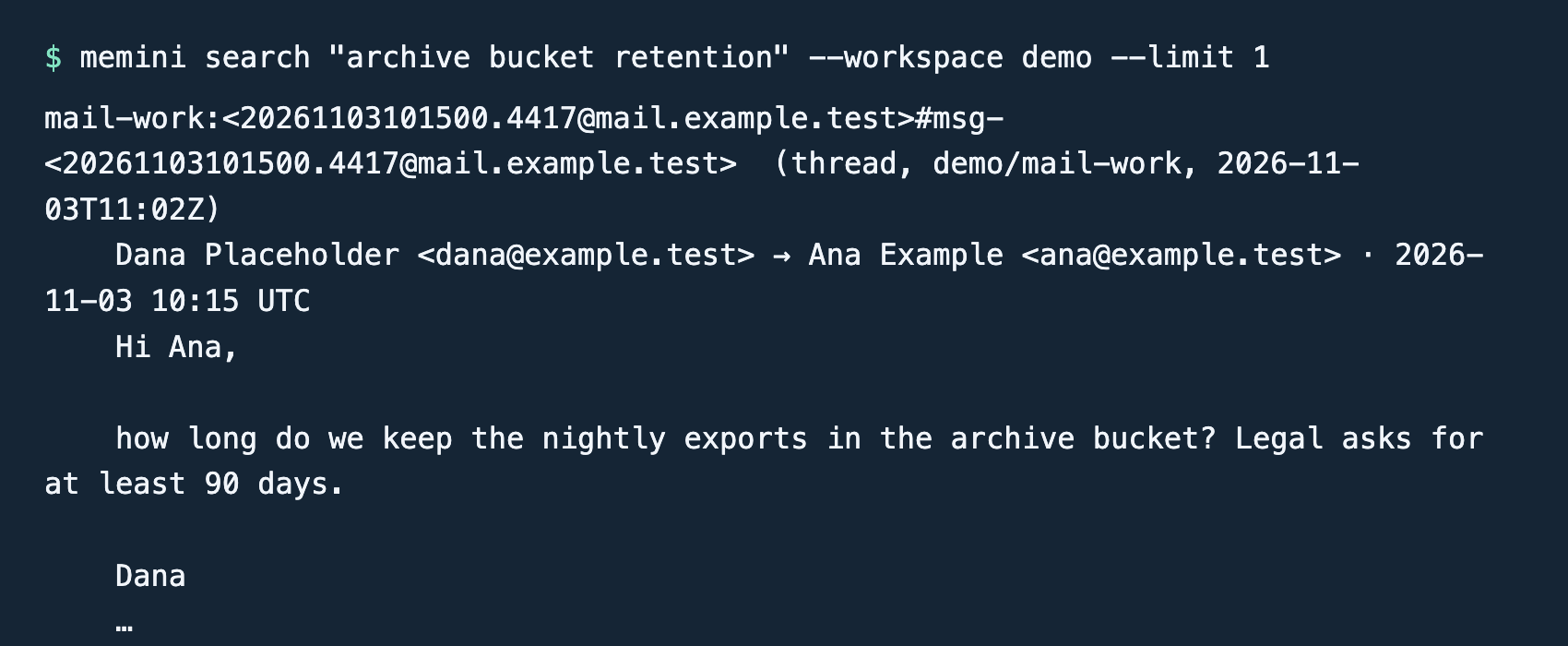
Find the hit from mail-work. Dana asked for at least 90
days. Ana replied that the bucket kept exports for 30 days and she
planned to increase it to 120. The thread shows a proposal; a later meeting example records what
actually changed.
If the push stored the message but search says
embeddings_not_configured, configure Ollama and reindex
demo as described in troubleshooting. To import your
own mailbox, use the Intake guide.